Signal Blocks AI Agents From Reading Private Chats via Screenshots on Android and iOS
Signal has implemented a feature to block AI agents from accessing private chats via screenshots on Android and iOS, but the protection is incomplete.
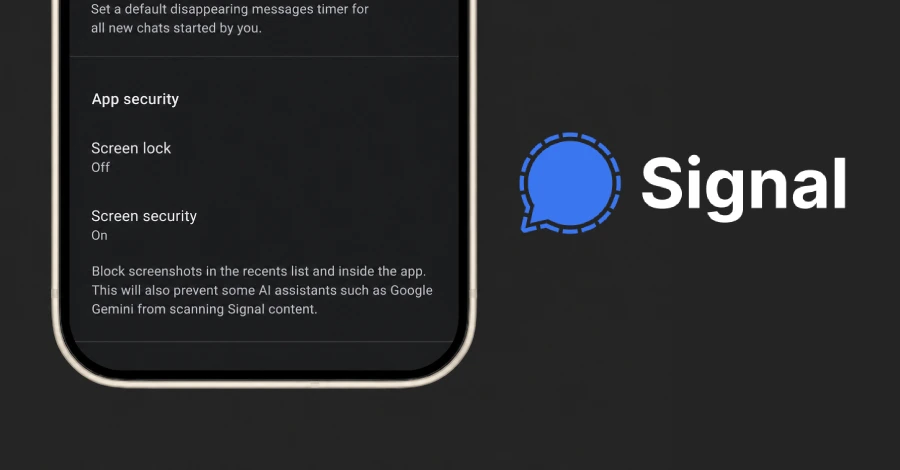
Signal announced a new feature that restricts screenshots by default to prevent AI agents from reading private chats on Android and iOS devices. While this move aims to enhance user privacy, the company acknowledged that the protection remains incomplete.
Signal has launched a feature designed to restrict screenshots by default, specifically targeting artificial intelligence (AI) agents that may attempt to read private chats on Android and iOS devices. This initiative comes amidst growing concerns about privacy in the era of AI, as Signal's president, Meredith Whittaker, described the integration of AI into operating systems as an "existential threat" to the platform's privacy guarantees. The feature will apply to specific versions of iOS and Android where the encrypted messaging platform can detect an AI assistant attempting to access Signal screens.
The functionality builds upon a similar setting introduced for Windows 11 last May, following the launch of Microsoft's Recall feature. Signal's new measure aims to uphold the platform's commitment to privacy by preventing AI agents from scanning screen content, which could lead to unauthorized access to users' private conversations. Whittaker explained that these AI agents can capture information displayed on a user's screen, potentially compromising the privacy of all participants in a conversation.
In simple terms, the technology at the heart of this issue involves AI agents embedded within operating systems that can access and analyze data displayed on user screens. When a user interacts with applications like Signal, these agents may take screenshots or extract text from the screen to provide responses or perform tasks. This poses a significant risk, as sensitive information can be captured without the user's explicit consent, undermining the privacy guarantees that Signal aims to uphold.
The implications of this feature affect all users of the Signal app on Android and iOS, particularly those who prioritize privacy in their communications. While the company has taken steps to mitigate the risk of AI agents accessing private chats, the incomplete nature of the protection raises questions about its effectiveness. Users can disable the screenshot blocking feature if they choose, but doing so may expose their Signal content to AI agents, further complicating the privacy landscape.
The timeline of events leading to this development includes Signal's proactive measures in response to AI integrations within mobile operating systems. The company previously introduced similar protections for Windows users and has continued to adapt its privacy features as new threats emerge. Signal's ongoing efforts reflect a broader trend in the tech industry, where privacy concerns are increasingly at the forefront of software development.
In response to these challenges, Signal has called on tech giants to provide better tools and documentation to help developers protect application-level privacy. The company specifically urges these firms to implement two common-sense remedies to enhance user privacy.
What remains unknown is the full extent of the vulnerabilities that AI agents may exploit to access private data on Signal and other applications. While the recent incidents reported suggest significant risks, the effectiveness of Signal's new feature in preventing such breaches is still to be fully evaluated. Observers will be watching how Signal and other messaging platforms adapt to these evolving threats in the future.
What security teams should do
- Review user permissions for applications that utilize AI agents to ensure minimal access.
What it meansSignal has implemented a feature to block AI agents from accessing private chats via screenshots. This highlights the ongoing challenges in maintaining privacy against emerging AI threats.
Ask your IT team this weekWhich applications in our environment utilize AI agents that may access sensitive data?How do we currently manage user permissions for applications that employ AI functionalities?
DecisionThe IT team will review and adjust user permissions for applications with AI capabilities, and security will verify compliance.